Project Makeover
- 4.5
- Rating
- 100.00M
- Installs
- Free
- Price

 Analysis by App-foxy
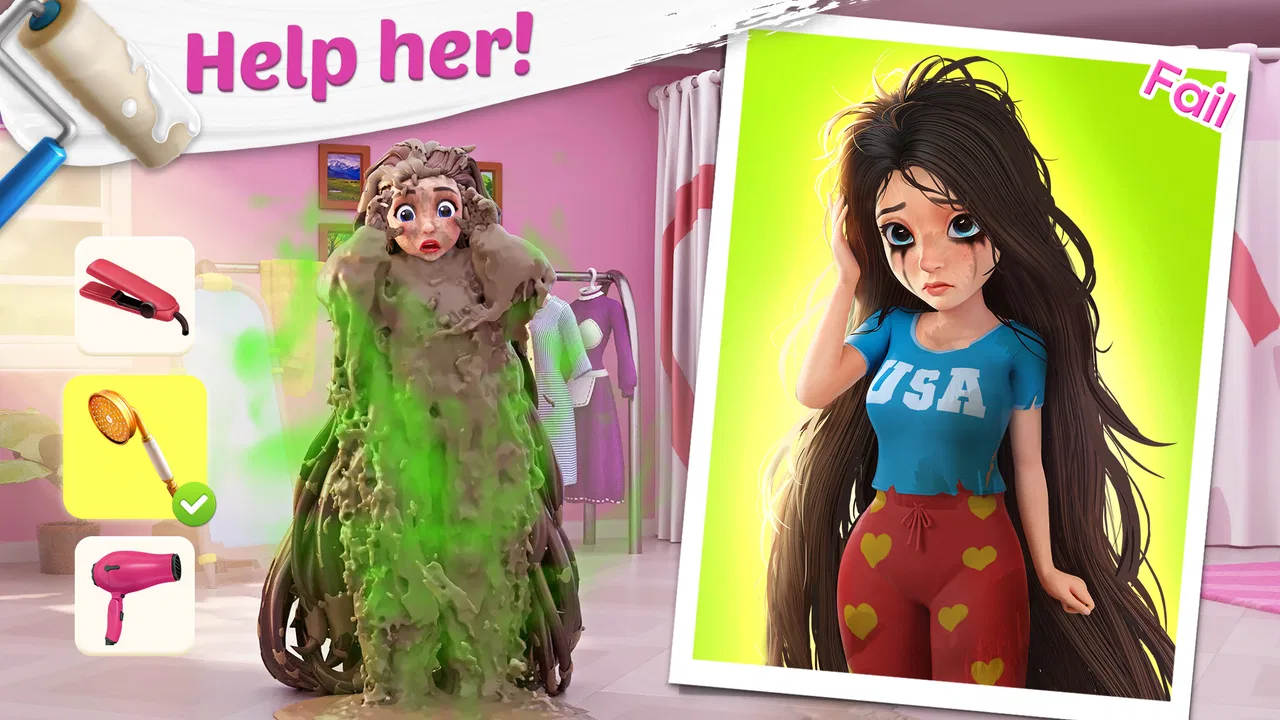
I approached Project Makeover as a light, casual game for short sessions rather than something I would play like a traditional strategy or role-playing title. Its central appeal is easy to understand: I help dramatic clients refresh their appearance and surroundings by choosing clothes, hairstyles, makeup, and furniture. That makeover theme gives the game a friendly, visual hook, while the supporting challenges provide a reason to keep progressing.
What surprised me most is how quickly the game turns a simple styling idea into a routine. I might open it while waiting for coffee, complete a few challenges, spend the rewards on a client’s new look, and close it again. The experience is accessible enough for someone who does not usually play games, but it also has enough small decisions to make each makeover feel more personal than simply pressing through a fixed story.
Magic Tavern, Inc. developed this free casual game, which is suitable for Everyone. It has reached over 100 million installs and holds a 4.5 average from around 1.2 million ratings, so it is clearly aimed at a broad audience rather than a narrow group of fashion-game enthusiasts. I can see why: the controls are approachable, the presentation is colorful, and the basic loop is understandable within minutes.
You May Also Like

 Blood Strike: 2.5 Anniversary
Blood Strike’s Loadouts Turn Every Drop Into a Tactical Gamble
A close look at Blood Strike’s custom loadouts: how fast access to signature weapons reshapes its battle royale rhythm, rewards preparation, and narrows the gap between fights.

 Pandora - Music & Podcasts
Pandora’s Music Is Easy to Start, but Harder to Recover
Pandora’s strength is its low-effort path from a seed to a station. Its weak spot is how much confidence it asks you to place in connection, setup, and quiet recovery.

 8 Ball Pool
 Is Built on Rivalries, Rematches, and Routine
A close look at the rivalries, rematches, shared routines, and unanswered safety questions that turn a quick pool match into a persistent mobile community.

 Samsung Music
’s Quiet Strength Is Playing What You Already Own
Its reach comes less from spectacle than from dependable access to a personal library. That simplicity is both the app’s strongest retention engine and its ceiling.

 AccuWeather: Weather Radar
AccuWeather Review: A Quick, Clear Forecast for Everyday Decisions
For everyday plans, the best forecast is the one you can understand quickly. AccuWeather makes rain timing, radar, and local conditions easy to act on, with a few trade-offs.

 Hill Climb Racing
Why Hill Climb Racing Still Turns Crashes Into One More Run
A tiny car, a bumpy hill and one more upgrade: Hill Climb Racing keeps resurfacing because its simple chaos makes every near-miss feel personal.
More From Our News Desk
View All News


Getting past the first points of friction
I find the first real hurdle is not learning the controls but adjusting to the game’s stop-and-start progress. When a desired makeover choice is out of reach, I switch to a different available task rather than repeatedly checking the same client; that keeps a brief session from turning into a frustrating wait. This section looks at small ways to make those early pauses easier to handle.
What the opening experience does well
The first sessions are designed to make the purpose obvious. I am not asked to learn a complicated control scheme or memorize a large set of rules. The game presents a client, a makeover goal, and a sequence of choices. That clarity matters on a phone, where I may only have a few minutes and do not want to study a manual before playing.
The visual presentation also does much of the explaining. A character’s before-and-after appearance communicates progress immediately, and furniture changes make the surrounding space feel connected to the client’s story. The result is more satisfying than a purely numerical reward because I can see what my choices changed.
Still, the opening can create the wrong expectation if I assume every part of the game is equally free-form. The makeover decisions are guided by the available options and the resources earned through play. I am choosing between presented alternatives, not designing an unlimited outfit from an empty wardrobe. That distinction is important for anyone expecting a full fashion editor or a professional interior-design simulator.
Simple checks before blaming the game
When a mobile game feels slow to start, I first check the basics rather than immediately assuming the installation is broken. I make sure the device is running at least Android 7.0, leave some free storage available, and close other demanding apps before reopening the game. Those are ordinary steps, but they prevent a surprising number of confusing launch and loading problems.
I also check whether the game has finished updating through the normal app store process. The current version is 2.132.1, and version mismatches can make a newly installed or recently restored game behave differently from what I expect. If an update is waiting, I install it before changing settings or clearing anything.
For a game built around visual scenes and repeated transitions, a stable connection is sensible whenever the app is loading new content or processing a purchase. I do not treat a temporary pause as proof that progress has disappeared. I wait briefly, return to the main screen if possible, and reopen the relevant scene before taking more drastic action.
Why the first challenge may feel restrictive
One of the first points where a player can get stuck is the difference between wanting a particular look and having enough resources to select it. The game encourages me to make choices, but those choices are tied to the progress loop. If I spend rewards as soon as I receive them, I may later feel short of the currency or items needed for a more appealing change.
My practical approach is to pause before confirming a makeover purchase and ask whether it improves the client’s current presentation or merely satisfies an impulse. I do not need to treat every choice as permanent in my head, but I do find the game more comfortable when I plan a few steps ahead instead of selecting the first attractive option.
This is also where the free-to-play structure becomes noticeable. The game costs nothing to download, but it includes in-app purchases ranging from $0.99 to $99.99 per item. I would not hand the phone to a child without checking purchase controls first, even though the content rating is Everyone. The age rating describes the content, not the spending risk.
Building a reliable makeover routine
Once the basic loop feels familiar, I get more from each visit by treating a client’s appearance and room as one composition instead of separate reward screens. I try to finish a manageable set of challenges before spending, then choose changes that work together; that makes progress feel deliberate without demanding a long play session. The next section focuses on building that habit around real schedules.
How I organize a short session
My most effective routine is to separate playing challenges from spending rewards. I begin by completing the available gameplay tasks, then return to the client and decide which visual change has the strongest effect. This keeps me from interrupting the flow every time I earn something and makes the makeover feel like a small project rather than a series of random taps.
I also look at the whole client before choosing a single item. A hairstyle that looks excellent on its own may not suit the selected clothing, and a piece of furniture can change the mood of a room more than a minor decorative detail. Thinking in combinations is one of the few ways to add personal judgment to a system that otherwise presents clear options.
A useful habit is to take a mental snapshot of the original scene. I compare the client’s face, clothing, and environment after each major change. This helps me notice which decisions actually improve the result and which ones only look exciting in isolation. It also makes the before-and-after element more rewarding.
The less obvious value of pacing
Project Makeover works best when I accept its pace. I cannot always transform every client immediately, and trying to force constant progress can make the resource limits feel more irritating. Short sessions reduce that pressure. I play until I have completed a comfortable group of challenges, make one or two meaningful changes, and stop before the next blocked step turns the experience into a chore.
This pacing is especially useful in an everyday situation. If I have ten minutes before an appointment, I can open the game, finish a small portion of the current sequence, and leave without needing to remember a complicated plan. On a longer evening, I can continue the same makeover and spend more time comparing visual choices. The game supports both habits, although it is more naturally suited to the first.
Players who dislike waiting, resource management, or repeated challenge cycles may find this structure less appealing. A premium game with a fixed price may be a better choice for someone who wants uninterrupted access to every tool. Likewise, a dedicated dress-up app may offer more control over individual outfits, while a traditional puzzle game may provide deeper mechanics than the makeover layer here.
Recovering when progress seems wrong
If a scene does not appear to have updated, I first return to the game’s main area and check the client again instead of repeatedly tapping the same option. I give the game a moment to finish its transition, then close and reopen it if the screen remains unchanged. This is a safer first response than immediately uninstalling, because deleting a game can create a separate progress problem if the account or save state is not restored automatically.
If the issue follows a purchase, I avoid buying the same item again while the first transaction is unclear. I note what screen I was on, whether the purchase confirmation appeared, and whether the balance or makeover changed after restarting. That simple record is more useful than guessing, especially when a delayed connection makes the result look incomplete.
For ordinary display problems, I try the least disruptive fixes first: restart the app, restart the device, install any pending update, and check the connection. I do not clear app storage casually. Clearing storage can remove local information, and it should only be considered after I understand how the game handles saved progress and after I have tried the reversible steps.
Keeping spending under control
The purchase range deserves attention because the game’s friendly appearance can make spending feel less serious than it is. I treat optional purchases as a separate decision from the makeover itself. If I am frustrated because I cannot complete a client immediately, that is usually the worst moment to buy something. I wait, play another available section, or close the app and return later.
For family devices, I use the operating system’s purchase restrictions and make sure the person playing understands that the game is free to install but not necessarily free of optional paid items. This is a practical distinction that is easy to miss when the first session feels completely accessible.
I also recommend deciding on a personal limit before playing rather than after a tempting offer appears. The exact limit is up to the player, but making the decision in advance removes some of the pressure from the moment. In my experience, the game remains enjoyable when I view purchases as optional convenience, not as the normal route through every makeover.
When the problem is outside the game
Sometimes a frozen transition or delayed change is a device or connection issue rather than a gameplay obstacle, so I work through reversible checks before touching saved data. I compare whether one scene or the whole app is affected, then restart or update only when it makes sense. The following section considers how to tell when the sensible next step is outside the game itself.
Device and connection issues
Not every pause, crash, or missing visual change originates in Project Makeover. Phones with very little free storage, an overloaded background process, or an unstable connection can make any visually rich game behave unpredictably. I test the app after closing other apps and moving to a more reliable connection before deciding that the game itself is at fault.
I also pay attention to whether the problem affects only one scene or the entire app. A single delayed client suggests a local loading or synchronization issue, while repeated problems across menus and makeovers point more toward the device, installation, or connection. That distinction helps me choose a sensible next step instead of changing several things at once.
Why reinstalling is not my first choice
Reinstalling feels like a clean solution, but it is disruptive. I only consider it after restarting, updating, checking storage, and confirming that I understand how my progress is connected to the game. If I reinstall without thinking about saved progress, I may replace a small technical inconvenience with a much bigger recovery task.
The same caution applies to clearing data. Cache-related cleanup can sometimes help with a stubborn display problem, but wiping local data is not a harmless refresh. I prefer reversible actions and a clear record of my progress before taking that step.
Who will enjoy it most
This game is a strong fit for players who enjoy visual transformations, character-centered stories, and casual sessions with clear goals. It is also approachable for someone who does not usually play games, because the makeover theme explains the purpose of each stage without requiring genre knowledge.
It works particularly well for people who like making aesthetic choices but do not want the complexity of a full design tool. I can experiment with a client’s appearance, see the environment change, and move on without spending an hour learning advanced controls.
On the other hand, I would not recommend it first to someone who wants a completely open-ended wardrobe, a competitive multiplayer experience, or a game with no optional spending prompts. Players who prefer a single purchase and a finished progression path may feel more comfortable with a premium alternative.
How it compares with nearby alternatives
Compared with a pure dress-up game, Project Makeover gives the styling decisions a broader purpose by connecting personal appearance with room changes and client progression. Compared with a standard puzzle game, it offers more visible narrative and customization, but the underlying progress can feel less satisfying if the player is mainly seeking challenging mechanics.
Its middle position is both its strength and its limitation. I get a little of several experiences: makeover choices, casual progression, visual storytelling, and reward-driven play. That blend makes the game easy to return to, but it does not replace a specialist app in any one area. I would choose it when I want a relaxed combination, not when I want the deepest version of fashion, decorating, or puzzles.
My practical verdict after playing
Project Makeover is an inviting casual game with a clear visual payoff and a routine that fits naturally into short mobile sessions. Magic Tavern, Inc. has built the experience around quick decisions and visible change, which is why it can appeal to both regular casual players and people who rarely install games.
The main friction comes from the free-to-play structure, resource pacing, and occasional need to distinguish a real app problem from a slow connection or an overloaded device. None of those issues makes the game unusable, but they do affect how I approach it. I keep expectations realistic, avoid rushing purchases, and use simple recovery steps before touching saved data.
My recommendation is to try it if you want a colorful makeover game that rewards brief, repeat visits. I would skip it if your priority is unlimited creative control, uninterrupted progression, or a one-time purchase with no optional items. For everyone else, the free entry point makes it easy to test the central loop without commitment, while the 4.5 average and more than 100 million installs suggest that its mix of styling and casual progression has found a wide audience.
The game was released on November 15, 2020, and its current version is 2.132.1. I would keep the app updated, check that the device meets Android 7.0 or later, and decide on spending boundaries before beginning. With those practical points handled, Project Makeover is at its best as a relaxed visual project: complete a few challenges, make thoughtful changes, and leave the phone feeling that a small transformation was genuinely finished.
FAQs for Project Makeover
01What is the main objective of Project Makeover?
Project Makeover combines fashion, interior design, and puzzles. The main objective is to help clients transform their appearances and spaces by solving match-3 puzzles. Each level you complete earns you coins to spend on makeovers, allowing you to unlock new clothing, hairstyles, and furniture options.
02Do I need to pay to enjoy all features in Project Makeover?
Project Makeover is free to play, but it offers in-app purchases. These purchases can enhance your experience by providing extra lives, boosters, or exclusive design items. While you can enjoy the game without spending money, some items or levels might require purchases for quicker progress.
03How does the match-3 puzzle aspect work in Project Makeover?
In Project Makeover, the match-3 puzzles are essential for progressing in the game. You need to match three or more tiles of the same type to clear them from the board. Completing these puzzles earns you coins and rewards, which are necessary to fund the makeovers of characters and spaces.
04Can I play Project Makeover offline?
Project Makeover requires an internet connection for full functionality. While some aspects might be accessible offline, features like updates, in-app purchases, and certain events need an active connection. It's advisable to play online to fully enjoy the game's features and stay updated.
05Is Project Makeover suitable for all age groups?
Project Makeover is designed to be family-friendly and is suitable for a wide range of ages. Its content is appropriate for children, but younger players might need assistance with some puzzle levels. The game’s combination of creativity and problem-solving makes it appealing to both younger and older audiences.
Pros
- Engaging storyline with fun characters.
- Highly customizable makeovers and decor.
- Frequent updates with new content.
- Smooth and colorful graphics.
- Challenging puzzles to keep you hooked.
Cons
- In-app purchases can be pricey.
- Lives system limits continuous play.
- Some levels feel overly difficult.
- Requires stable internet connection.
- Ads can be intrusive at times.

Project Makeover
Gallery